ci.Himalayas WMS: Standard Package or Customised Edition for a Stable, Accurate Warehouse
ci.Himalayas is the warehouse management system from C.NET Japan that leads Japan's cloud WMS market. C.NET (Thailand) offers it in two forms: WMS Standard (ci.Himalayas/R2) with 210+ standard functions, and ci.Himalayas/GLOBAL, customised by industry. This guide compares capability, stability, accuracy and after-sales support.
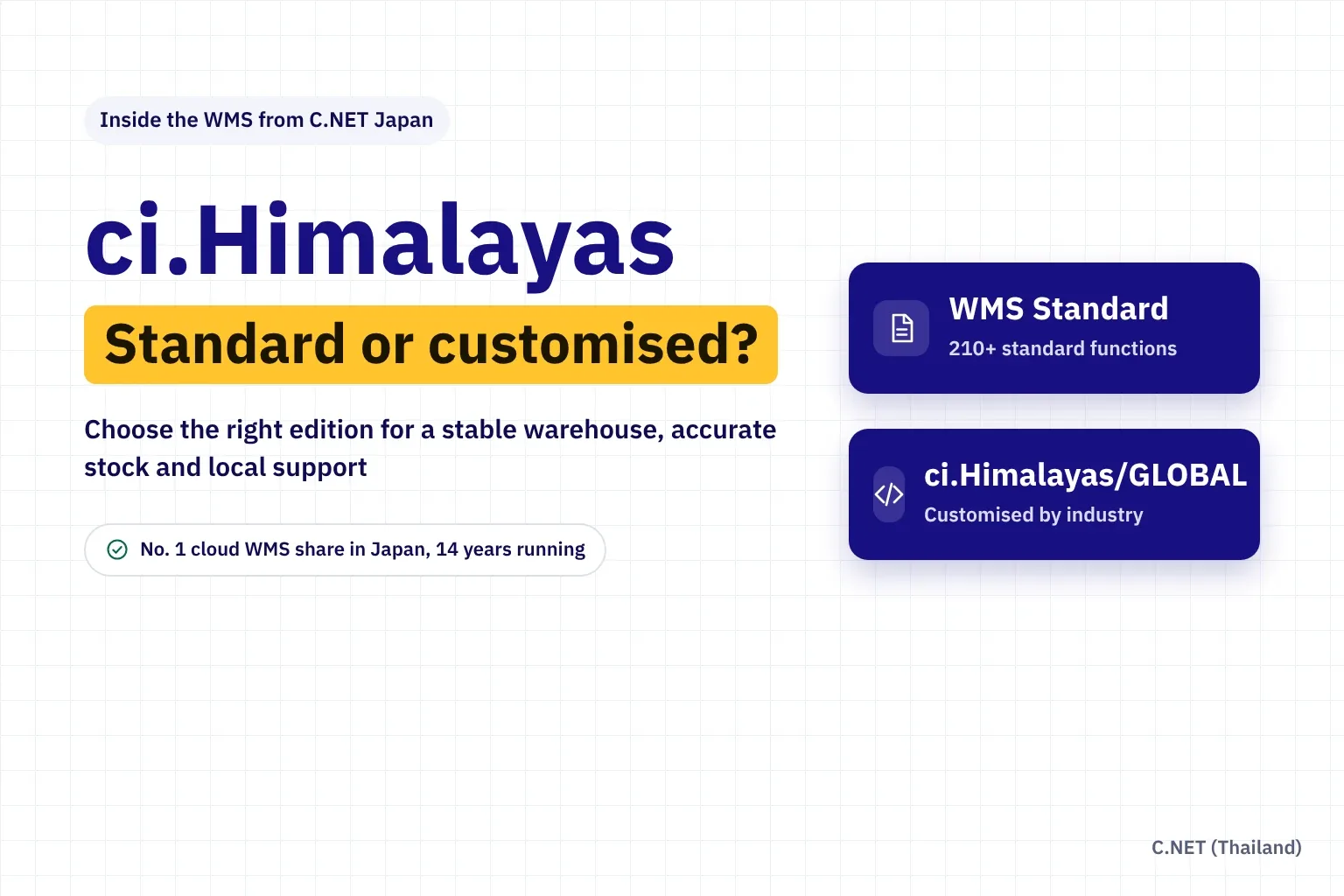
Short answer: ci.Himalayas is a warehouse management system (WMS) that C.NET Japan designs, builds and operates entirely in-house. C.NET (Thailand) offers it in two forms. The standard edition, WMS Standard (ci.Himalayas/R2), comes with more than 210 built-in warehouse functions and can go live in about two weeks once master data is ready. The customised edition, ci.Himalayas/GLOBAL, starts from 150+ core functions and is extended to match each industry's workflow, with multilingual screens.
If your warehouse runs close to common practice, the standard edition gives the best value and stability. If you have specific processes that set your business apart, such as tracking goods by production week or loading containers to a plan, the customised edition fits better. Both share the same core that enforces scan confirmation at every step, and both are supported by a team in Thailand working with the developer in Japan.
- 14 years
- Ranked first in Japan's cloud WMS revenue share, year after year (16.7% share in FY2024)
- 930
- Distribution centres running ci.Himalayas in fiscal 2025
- 210+
- Standard functions in WMS Standard (ci.Himalayas/R2)
- 1992
- Year C.NET Japan began building logistics systems
What is ci.Himalayas, and who develops it?
ci.Himalayas is the cloud WMS of C.NET Co., Ltd. in Chiba, Japan, a company that has specialised in logistics systems since 1992 and is the parent of C.NET (Thailand). According to Deloitte Tohmatsu MIC Research Institute, ci.Himalayas held a 16.7% share of cloud WMS revenue in Japan in fiscal 2024, ranking first for the 14th year running (LOGI-TODAY).
C.NET's own survey for fiscal 2025 (April 2025 to March 2026) counted its systems running in 1,454 centres, 930 of them on ci.Himalayas, with the largest group being major companies with annual sales of ¥50 billion or more (PR TIMES). In other words, the system is proven under heavy daily use in real warehouses, not newly launched.
In ASEAN, a published example is AEON MALL (CAMBODIA) LOGI PLUS, which chose ci.Himalayas/GLOBAL for its Free Port logistics centre, citing Japanese standards and system stability.
Two editions: standard package and customised
| Topic | Standard: WMS Standard (ci.Himalayas/R2) | Customised: ci.Himalayas/GLOBAL |
|---|---|---|
| Approach | Use as much proven Japanese warehouse functionality as possible, with small adjustments | Start from the core functions and build what your workflow needs |
| Built-in functions | More than 210 | More than 150, extended by agreed scope |
| Time to go live | About two weeks with standard functions and master data ready | Depends on the agreed development scope |
| Typical customisation | Shipping-order data layout and delivery-note format | Industry-specific controls, custom screens and reports, system and equipment integration |
| Languages | Japanese plus languages configured for each project | Thai, English, Chinese, Indonesian and Myanmar |
| Best for | Warehouses close to standard practice that want a fast start and predictable cost | Warehouses with specific processes, multiple countries or many systems and devices to connect |
A simple rule: if a process differs from the standard only out of habit, adapt the process to the system. If it is the reason customers choose you, or a customer or legal requirement, adapt the system to the process.
What can the standard edition (WMS Standard) do?
WMS Standard, or ci.Himalayas/R2, is the main edition used in Japan. Its 210+ functions cover receiving, shipping, inventory, stocktaking and warehouse billing (PRONI ITmitsu). Data from every site is consolidated at headquarters in real time, which suits manufacturers' warehouses, wholesalers and third-party logistics (3PL) providers.
Receiving and put-away
Record receiving plans, check deliveries against them, list discrepancies, print labels for items without barcodes, and store by free or fixed location.
Four picking methods
Single picking by order, total picking then sorting by order, total picking with seed picking, and total picking then sorting set products.
Lot and expiry control
Manage lots together with expiry dates, get alerts for items nearing expiry, and block shipments that don't meet each consignee's expiry rule.
Multi-owner, multi-warehouse
Separate stock by owner and warehouse, with four packing levels: pallet, case, box and piece.
Counting and traceability
Run full counts or cycle counts, review discrepancy lists and edit history, and trace every item's movements.
Warehouse billing
Set unit rates, calculate handling and storage fees, add other charges and issue invoices in three formats, ideal for 3PL.
The standard go-live path is clear: register master data and train users, run a rehearsal to confirm the process works as planned, then load opening stock before live receiving and shipping. Product, location and stock data are filled into Excel templates in the system's format and imported directly.
What can be customised in ci.Himalayas/GLOBAL?
ci.Himalayas/GLOBAL is the edition for markets outside Japan. Its 150+ core functions include receiving, shipping, inspection, location moves, data correction, cycle counting and billing. It can suggest the best storage location, handles both B2B and B2C, and runs in Thai, English, Chinese, Indonesian and Myanmar. It is designed to be extended. Functions already built for customers include:
- Tire weekly control by week and year of production, so the oldest stock ships first
- Vanning: upload a container loading plan and the system creates and checks loading instructions
- SKU-level stock by code, colour, style or size for fashion and multi-variant goods
- Decimal quantities for goods counted by weight
- Minimum-stock email alerts plus best-seller and no-movement reports
- Connection to digital picking systems and barcode scanners, and data exchange with ERP or accounting via FTP server or API
Customisation is done by the team that maintains the system's code, not an outside firm guessing at its structure, so side effects are controlled and the core can still be updated. Development is quoted by scope after a fit-gap analysis. Connections to other vendors' equipment depend on the complexity of the work and that vendor's permission.
Stability: why warehouses that run every day rely on ci.Himalayas
Developer-operated end to end
C.NET Japan plans, develops and operates the system itself. Its infrastructure team monitors the service, investigates root causes and keeps improving operations.
Cloud in a disaster-resilient data centre
No servers to maintain. The system runs 24/7/365 on a cloud aligned with ISO/IEC 27001 at a Tier 4-equivalent level, with on-premises deployment also available.
DR/BCP standby server
Add an optional standby server in a separate data centre, continuously synchronised, for fast recovery if something goes wrong.
Data security
All internet traffic, including FTP, is SSL-encrypted. The C.NET Group parent in Japan is ISO 27001 certified, and user permissions can be set by role.
The other side of stability is people. Every project runs a rehearsal with real data before go-live, so staff learn the process and problems surface before day one. In Japan, C.NET also launched ci.Himalayas/Standby in September 2026, a separate standby system that keeps essential shipping going while the main system is restored (CommercePick). It shows the developer designs for warehouse continuity at the service level.
Accuracy: preventing errors from receiving to shipping
Receive: scan against the plan
Check deliveries on a handheld. The system records lots and expiry dates and lists anything that doesn't match the plan immediately.
Put away: scan the destination
Confirm goods are placed in the bin the system assigned, so stock is ready to pick from the right place.
Pick: scan item and quantity
Pick what the system allocated by FIFO/FEFO or each consignee's expiry rule. A wrong scan triggers an alert at once.
Check: compare with the order
Inspect again by destination or by order before closing the carton and printing the delivery note.
Ship: link the waybill
Link the shipping label number to what was shipped, so you can trace which carton went to whom.
Beyond scanning, the system keeps an edit history for receipts and shipments, discrepancy lists after counts, and alerts for expired or overdue stock. Warehouse managers can see where errors arise and fix the root cause.
System capability: how much can it handle?
| Area | Capability |
|---|---|
| Volume | In production from about 1,000 shipment records a month to more than 1,000,000 a day |
| Sites | From a single warehouse to networks of 42 branches consolidated at headquarters |
| Stock structure | Multiple owners and warehouses, four packing levels, free and fixed locations |
| Item control | Lots, expiry dates, set products, variable-weight goods and cross-docking |
| Devices | Wireless handheld terminals, label printers and material-handling equipment such as DAS, GAS and DPS |
| Data exchange | Import and export receiving plans, shipping plans, results and stock via FTP server or API |
| Deployment | Public or private cloud, or on-premises depending on data volume and requirements |
Support: a local team up front, the developer behind it
Before: site survey and advice
The Thai team reviews your layout, workflow and real order volumes, then advises whether the standard edition is enough or customisation is needed.
During: configuration, training and rehearsal
Prepare master data, train users by role and rehearse real work before go-live.
After: questions and issue resolution
Thai-language support Monday to Friday, 09:00–17:30, with 24/7/365 support available as an add-on.
As you grow: add-on development
The Thai development team builds add-ons and integrations, and coordinates core-system matters directly with the developer at C.NET Japan.
C.NET (Thailand) also supplies and services floor hardware such as handheld terminals and label printers, giving you one point of contact for both software and devices. If you are still comparing system types, read WMS vs MRP vs ERP.
Which edition? Five questions to decide
| Question | If yes, start with |
|---|---|
| Do your receiving, storage, picking and shipping steps resemble a typical warehouse, and do you want to go live within weeks? | Standard |
| Are you a 3PL that must separate stock by owner and bill storage from the system? | Standard |
| Do you need industry-specific controls such as production-week codes, planned container loading or multi-dimensional SKUs? | Customised |
| Does your floor team speak several languages, or do you run warehouses in several countries? | Customised |
| Must you connect to ERP, machinery or several floor devices from day one? | Customised, or Standard plus integration work |
Not sure? Start with the standard edition and add features once real needs show up in daily use. The core stays stable and the budget goes where it makes a difference.
Frequently asked questions about ci.Himalayas
What is ci.Himalayas?
A cloud warehouse management system developed by C.NET Japan, ranked first in Japan's cloud WMS revenue share for 14 consecutive years (Deloitte Tohmatsu MIC Research Institute, FY2024). In Thailand it is provided by C.NET (Thailand).
How do WMS Standard and ci.Himalayas/GLOBAL differ?
WMS Standard (ci.Himalayas/R2) uses 210+ standard functions and can go live in about two weeks once master data is ready. ci.Himalayas/GLOBAL has 150+ core functions, multilingual screens, and is extended to match each industry's specific workflow.
How long does the standard edition take to implement?
About two weeks if you use standard functions and have master data ready. The steps are master data registration and training, a rehearsal of real work, then loading opening stock before go-live.
How does the system improve stock accuracy?
It requires handheld scan confirmation from receiving and put-away through picking, pre-shipment checks and waybill linking, controls lots and expiry dates, and keeps edit history and discrepancy lists after counts.
Who do we contact if something goes wrong?
The Thai-language support team at C.NET (Thailand), Monday to Friday 09:00–17:30, or 24/7/365 support as an add-on. Core-system issues are coordinated with the developer in Japan.
Is our data safe in the cloud?
All traffic is SSL-encrypted, the system runs on a cloud aligned with ISO/IEC 27001 at a Tier 4-equivalent level, the parent company is ISO 27001 certified, and you can add a DR/BCP standby server or deploy on-premises.
Can we customise later?
Yes. You can start with the standard edition and add features later. Development is quoted by scope after a fit-gap analysis.
Sources
- LOGI-TODAY (19 Dec 2025), ci.Himalayas first in cloud WMS share for 14 years, Deloitte Tohmatsu MIC Research Institute
- PR TIMES (2026), C.NET operating centre survey for fiscal 2025
- PRONI ITmitsu, ci.Himalayas/R2 (based on cross-docking.com)
- CommercePick (2026), C.NET launches ci.Himalayas/Standby
- C.NET (Thailand), WMS Standard (ci.Himalayas/R2) and ci.Himalayas/GLOBAL
Updated November 2026 by the C.NET (Thailand) team · Capability figures reflect the developer's production deployments; results in each warehouse depend on products, workflow and customisation scope.